
A Coding Font Odyssey: Hangul Comes to JetBrains Mono
I Couldn't Find a Coding Font I Liked
When setting up a development environment, the font is something I end up fussing over far longer than expected. It's a screen I stare at all day, so if the letters bother me, they keep bothering me. That's why every time I set up a new machine, I tell myself, "This time I'll pick the font properly."
But the moment I actually try to choose one, nothing fits. There are plenty of great Latin coding fonts. The problem is Hangul. The instant a Korean comment or string shows up in the code, those Latin fonts fall back to the system default for Hangul. The Latin looks great, but only the Hangul floats there awkwardly — that subtly mismatched combination is what I couldn't stand.
Even D2Coding Left Something to Be Desired
When you think of a Korean coding font, D2Coding usually comes to mind first. Made by Naver, with Hangul and Latin widths that line up cleanly, it's practically the domestic standard.
It's a good font. But for me, something was missing. After using it for a while, the shapes of the Latin letters weren't quite to my taste, and it felt a little removed from the polished look that modern Latin coding fonts have. Not bad — just not the "this is it" font. So I kept installing and uninstalling D2Coding, always peeking at something else.
The Latin font I liked most was JetBrains Mono. The glyphs are crisp, the ligature handling is clean, and it's easy on the eyes even after long sessions. There's just one problem: it has no Hangul. Write code in JetBrains Mono, hit a Korean comment, and the font breaks right there.
Latin in JetBrains Mono, Hangul in some other font. You can sort of patch this together with font fallback in the editor, but the widths often don't match, throwing off alignment, or the weights and heights of the two fonts go their separate ways. In the end, it's another compromise.
Someone Bolted Hangul onto JetBrains Mono
Then I stumbled on a project called JetBrainsMonoHangul. It's exactly what the name says. A font that merges Hangul into the Latin glyphs of JetBrains Mono. It was precisely what I'd been looking for.
The Latin is the JetBrains Mono I love, untouched, and the Hangul is attached naturally with matching width and height. Inside the code, Latin and Hangul flow with the same rhythm. Write a Korean comment and the font doesn't break.
What delighted me even more was that a Nerd Font version is released too. Nerd Font is a variant that stuffs developer icons (file types, git branches, all sorts of symbols) into a font, and it's all but essential when decorating a terminal prompt or an environment like Neovim. Usually, when I find a Hangul font I like, there's no Nerd Font version, so I give up again — but here it comes bundled from the start.
The release includes three variants for different uses.
| Variant | Trait |
|---------|-------|
| NerdFont | Variable-width icons |
| NerdFontMono | Fixed-width even for icons — good for terminals |
| NerdFontPropo | Proportional width |
Installing on macOS
The build guide is Linux-based, so at first I wondered if I had to build it myself, but there's no need. The release already ships prebuilt .ttf/.ttc files, and being standard fonts, they install on macOS as-is.
From Releases, grab the JetBrainsMonoHangulNerdFontMono zip — the most sensible choice for terminal/coding use — and unzip it to find .ttf files for every weight from Thin to ExtraBold. Just copy them into your user font folder and you're done.
# In the unzipped folder, after downloading
cp *.ttf ~/Library/Fonts/
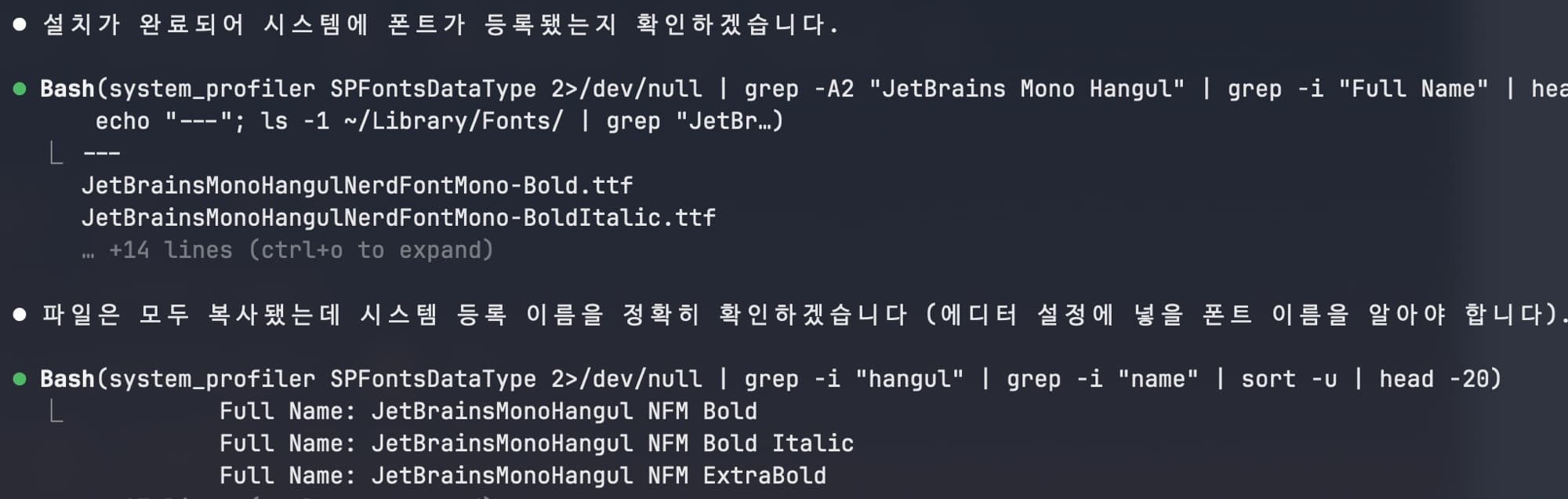
Once installed, the family name registered with the system is a bit different from the .ttf filenames. The name you actually put in your editor or terminal settings is JetBrainsMonoHangul NFM (NFM = Nerd Font Mono). Not knowing this can leave you stuck for a while when the font won't show up in settings.
# Check the registered name
system_profiler SPFontsDataType | grep -i "hangul"
For VS Code, this is all it takes.
"editor.fontFamily": "JetBrainsMonoHangul NFM",
"terminal.integrated.fontFamily": "JetBrainsMonoHangul NFM"
An editor or terminal that's already running needs a restart for the new font to appear in the list.
All I Did Was Change a Font
I finished the setup and pulled up some code. The Latin is the same crisp JetBrains Mono, and the Korean comments now follow along in the same grain. The irritation I'd been unconsciously feeling — watching Latin and Hangul play separately on screen — was gone. All I did was change a font, yet the screen feels noticeably more put together.
It might seem like nothing, but this is a screen I look at for hours every day. When that screen pleases me a little more, the mood of the work improves by just that much. This is exactly the kind of payoff that makes a long odyssey over a coding font worth it.
Someone felt the very same lack — "I love JetBrains Mono, but the missing Hangul is a shame" — and filled the gap themselves and made it public. Thanks to that, all I had to do was take the result and use it. The most grateful moments in open source always go like this: someone hit the same inconvenience first and solved it first. If you're a Korean speaker who uses JetBrains Mono, it's worth a try.