 hulryung.com
The GUI Was Just a Client All Along — What Agent-Shaped Tools Look Like
In the previous post, I bundled together the four signals I'd found while dissecting STM32CubeMX2 — UI replacement, build system delegation, data model packagification, automation as a first-class citizen — and made the case that "embedded tools are finally joining the modern SW way of thinking." The fourth item, automation as a first-class citizen, I cut short and moved on. In truth, that one alone is worth its own post. This is that post.
"We also have a CLI" can mean two very different things
When a tool's marketing page says "we also support a CLI," that statement can mean two completely different things.
The first meaning is "we built the GUI first, then bolted a CLI wrapper on top." In these tools, the CLI usually exposes only a subset of the GUI's functionality, isn't script-friendly, has broken output, and new features always land in the GUI first and trickle into the CLI much later. Try to wire up an automation pipeline and you'll keep hitting "this action isn't available in the CLI" walls.
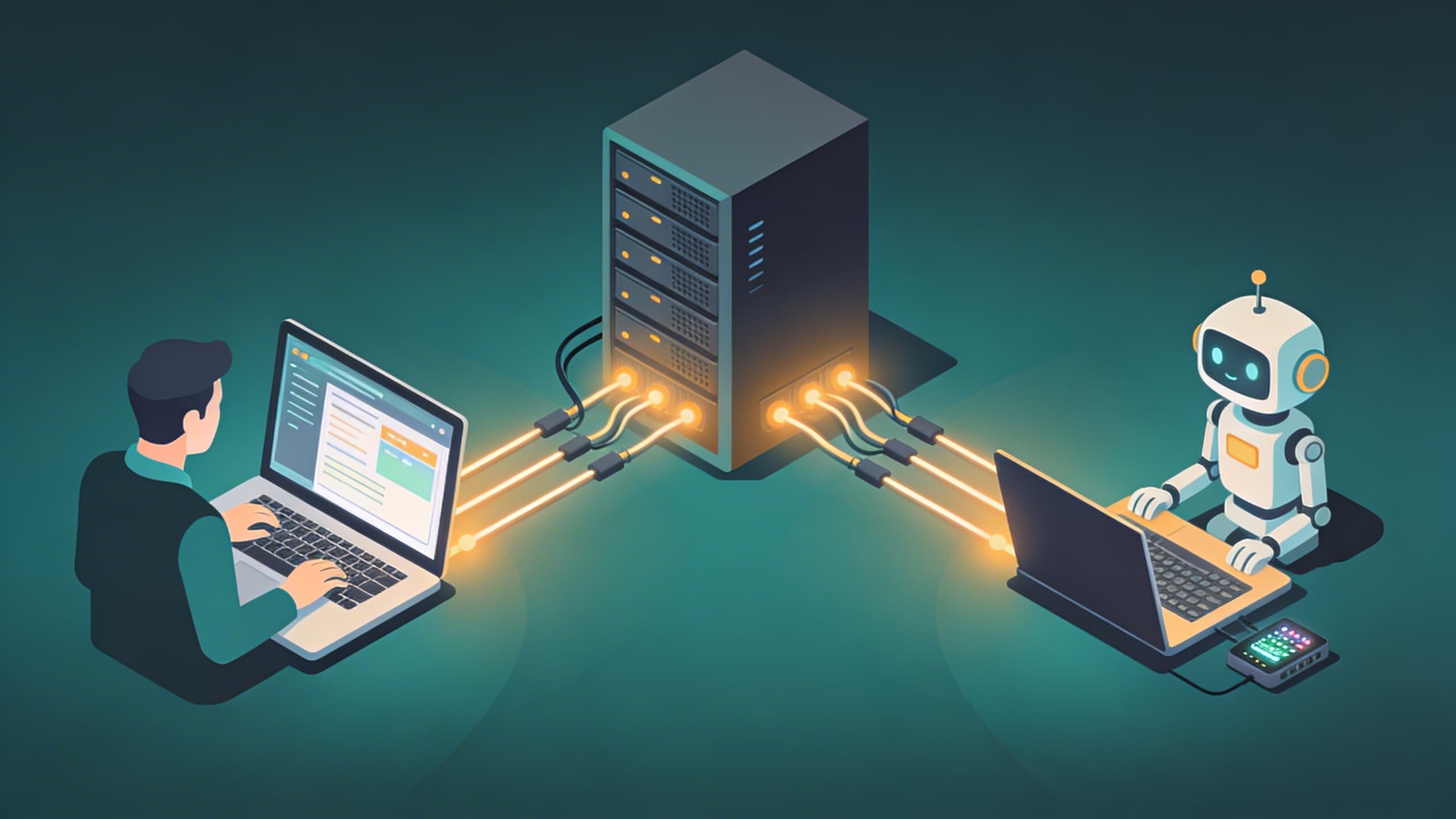
The second meaning is "the GUI and the CLI are two clients of the same backend." In this case, the GUI is not the main body — it's a client. The main body is a separate process — usually a local server — and both the GUI and the CLI attach to it through the same API. New features land in the backend first, and the GUI and CLI both follow automatically.
These two categories look similar from the outside, but the tool's potential is fundamentally different. And in the age of agents, that difference is everything.
STM32CubeMX2 is the second category
Let's take a look at STM32CubeMX2's CLI help.
$ cube mx --help
Usage: mx [options] [command]

Commands:
  start [options] [projectPath]
  clock              CLI for SW clock validation
  composer           CLI for sw composer feature
  dma                CLI for dma feature
  exti               CLI for exti feature
  finder             search for board/device marketing info
  global-services    enable/configure/disable project-level options
  hw-platform        CLI for hardware platform feature
  ide-project        Cube IDE Project CLI
  middleware         CLI for middleware feature
  nvic               CLI for nvic feature
  pack-manager       CLI for pack manager feature
  parts              CLI for parts feature
  peripherals        CLI for peripherals feature
  pinout             Pinout CLI for STM32CubeMX2
  project            Project lifecycle
  sw-config          CLI for sw-configuration feature
  utilities
Almost every item in the GUI's left panel shows up here 1:1. Pinout, clock, DMA, NVIC, EXTI, middleware, peripherals, software composer, HW platform, pack manager, build export — all of it. But the decisive part is what comes below.
Nearly every subcommand carries these two options.
--port <port>   MX backend port
--host <host>   MX backend host (default: "127.0.0.1")
Why is that decisive? Because it means MX itself is an HTTP backend server. Type cube mx start and a backend comes up. Open the GUI (Electron), and that GUI brings up its own backend and attaches as a frontend. And the cube mx pinout assign-signal --port 4000 ... you typed in the terminal attaches to the same backend as another client. The GUI and the CLI can attach to the same backend simultaneously. A workflow where you open a CI-built configuration in the GUI and visually inspect it feels natural.
This isn't a tool with a CLI bolted on as an afterthought. From day one, the backend was the main body, and the GUI is just one kind of Electron client on top of it.
What this separation makes possible
Once this separation exists, what becomes possible on top of it changes qualitatively.
Headless automation is natural. Inside the application body there's a file literally named start-and-load-headless-bin.js. That's a strong signal that headless mode is a first-class citizen, not an afterthought. Bring up the backend, and a shell script chaining cube mx project create-from-board ..., cube mx pinout assign-signal ..., cube mx clock set-value ..., cube mx ide-project generate --format CMake ... carries you from board selection all the way through build artifact export without opening the GUI even once. Drops straight into a CI runner.
Second is CI/CD integration. A firmware project's configuration — pinout, clock tree, peripheral activation, middleware selection — can become a code review target. Drop the .ioc2 file into git, and on every PR cube mx ide-project generate runs to verify the build artifact is identical. Until now, embedded teams that took this seriously were mostly faking it with crude in-house Python scripts that parsed .ioc files and diffed them. ST elevated this to first class.
Third is remote work. The --host option defaults to 127.0.0.1. But the fact that the option exists means other hosts are possible. A scenario where you keep the MX backend running on a beefy dev machine or build server while multiple developers attach as thin clients from their laptops is structurally open.
And the fourth, which is the real subject of this post.
Agents get lost in front of a GUI
For an AI agent — an LLM with tool-use grafted on, acting as an autonomous executor — to actually build something, it needs an interface it can operate. What interface a tool exposes determines its usefulness.
The interfaces modern agents handle best are three.
- CLI commands with their stdout/stderr — most common, easiest to structure.
- HTTP/JSON APIs — requests and responses are explicit, errors come back as codes.
- Text files on the file system — changes can be observed with
git diff.
Three interfaces agents find hard to handle:
- GUIs — screenshot-and-coordinate interaction. Expensive, slow, fragile.
- Binary tools that hide their state — internal state can't be read or reproduced.
- Tools with only a subset exposed via CLI — agents keep running into dead ends.
Look at STM32CubeMX2 through this lens and the tool is almost a textbook example of "agent-usable shape." Every action lives in the CLI — condition 1 satisfied. The main body is an HTTP backend — condition 2 satisfied. Project state lands on disk as a single .ioc2 file — condition 3 satisfied. The picture of sitting an agent down and saying "build me a project on this board with two I2C channels" is fully realistic.
On the other side, the legacy tools that still drag clock trees around with mouse clicks in a Java Swing GUI have essentially no room for an agent to enter. Screenshot-and-OCR Frankenstein contraptions that say "click somewhere around here" are the ceiling.
A new axis for evaluating tools
Until now, dev tools have been evaluated mainly on two axes: feature richness and GUI usability. Both axes were ultimately a yardstick for how productively a single person could work sitting in front of that tool.
A third axis is being added: agent-usability. When an agent sits in front of the tool instead of a person, how well can it use it?
The questions you'd ask along this axis look like this:
- Is every action exposed via CLI or API, or are there features that exist only in the GUI?
- Does state condense into a single text file, or is it hiding internally?
- Are outputs in standard formats (JSON, YAML, CMake, ELF), or in proprietary ones?
- On failure, are errors structured? Are exit codes and stderr meaningful?
- If you run the same task ten times via script, are the results deterministic?
- Can multiple instances attach simultaneously?
Start measuring along this axis and many things considered "good tools" so far get reclassified into the "good for people, bad for agents" bucket. And tools like CubeMX2 cross over into "good for both."
In the end, it's backend + clients
Over the past decade, a lot of general software has commonly moved in this direction. VS Code — the core workbench is the main body, and desktop Electron / browser / remote SSH are all variations of the same core. Figma — the renderer is the main body, the browser is a client. Docker — the daemon is the main body, the docker CLI and Docker Desktop are clients. Language Server Protocol — the IDE is the frontend, the LSP server is the main body. Postgres, Kubernetes, Terraform — all the same pattern.
Once you start noticing it, the structure of "main backend + multiple clients" is the default shape of modern software. The GUI sits on top of it, the CLI sits next to that, and now the agent sits as yet another client beside both. The agent is not a new UI — it's just a new kind of client attaching to an existing backend.
Through that lens, the "good tools" of the future are the ones that clearly expose their backend's API. The GUI is just the pretty face of that API. The CLI is just the machine-friendly face of that API. The agent is just an autonomous executor of that API. If these three don't grow from a single root, the tool won't survive the age of agents.
It can't be a coincidence that ST rebuilt STM32CubeMX2 in this shape. Whether they specifically had agents in mind or not, a tool with this shape automatically becomes a tool agents use well. And once this pattern takes hold at one vendor, competing vendors can't afford not to follow.
Closing thoughts
In the previous post, I made the case that "embedded tools are finally joining the modern SW way of thinking." This post was about why that joining lines up so cleanly with the age of agents.
The next question worth watching in the dev tools space goes something like this. Of the tools we use every day, how many can do the same thing without a GUI? Of those, how many can attach a GUI and a CLI to the same backend simultaneously? And of those, how many can be handed to an agent and reach the end of a task without dead ends?
The answer is mostly "not many" right now. But as more tools like STM32CubeMX2 appear one by one, the answer is shifting little by little. And the speed of that shift will probably be faster than we expect — because once you've experienced a tool with this structure, there's almost no reason to go back to the old way.